Join 3,000+ traders. Your tools are free.

MikeFX DESK, Grid-Zilla and Pattern Labs, unlocked in three steps.The Quantum Lens app and Pattern Labs setups, unlocked in three steps.

Open your XM account

When XM asks for a partner or referral code, use ours. It can’t be added later.

KobusFX’s codeR2P9K
Open XM

Already have an XM account under our code? Go straight to step 2.

Check your account

Your details

We email a code here to finish.

Prefer a guided sign-up?

Our assistant walks you through it in a chat, one question at a time.

Join the MikeFX34 community on Telegram

Live setups, daily analysis and real support from traders like you. Free and open to everyone.

Join our Telegram
Live setupsDaily analysisReal support
★ Official MikeFX34 Partner

Your mentor: KobusFX

R2P9K Tap to copy

Your partner code. Without it we can't unlock your access, and it can't be added afterwards.

💬 Message KobusFX

Everything we build. One box. Free.Pro charts. One app. Free.

MikeFX DESK puts the charts, the bots, the setups and the community in one app on your computer.The Quantum Lens app puts live charts and Pattern Labs setups on your home screen.
MikeFX DESK box
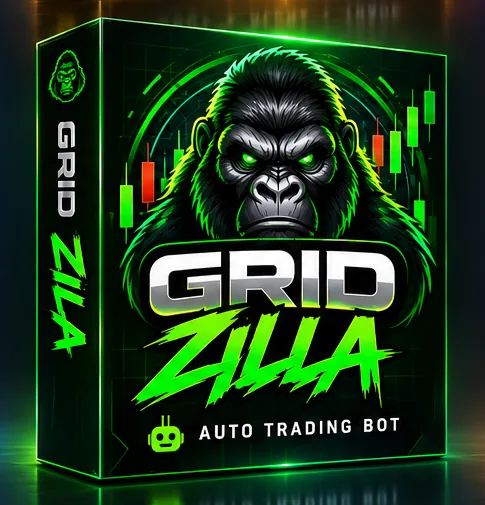
Grid-Zilla boxInside
Pattern Labs boxInside
Quantum Lens boxFree too
Inspector Gadget boxFree too
Quantum Lens box
Pattern Labs boxInside
MikeFX DESK boxFree on PC
Grid-Zilla boxFree on PC
Inspector Gadget boxFree on PC

Tap the box to open it again

On your phone? Get the Quantum Lens appOn a computer? Get MikeFX DESK

3,000+ registered tradersTrading since 2019FSP 53590

Inside the box

No trial. No card. Everything here is yours while you trade under our code.

MikeFX DESK box

MikeFX DESK The box

The whole desk in one app on your computer: charts, bots, setups and the community, connected to your own MT5. Our team installs it for you.

Grid-Zilla box

Grid-Zilla Inside

Auto trading bots built in. Set your limits, press Start, and it runs your plan while you’re at work.

Pattern Labs box

Pattern Labs Inside

Setups drawn on your chart, clean, with nothing extra.

Quantum Lens box

Quantum Lens Free too

Live charts with the key zones already marked.

Without our code: R500 a month
Inspector Gadget box

Inspector Gadget Free too

Spots the setup and alerts you on MT5.

Quantum Lens app box

Quantum Lens app The box

Live charts with the key zones already marked, on your home screen. No app store needed.

Without our code: R500 a month
Pattern Labs box

Pattern Labs Inside

Setups drawn on your chart inside the app. Clean, nothing extra.

MikeFX DESK box

MikeFX DESK Free on PC

Sit down at a computer and the full desk with Grid-Zilla bots is free too. Our team installs it for you.

What happens when you tap the button

About 5 minutes, start to finish.

1Quick chat

Our assistant walks you through the partner code and your Broker account.

2Straight to downloads

The moment your account checks out, you land on your downloads page.

3We install MikeFX DESKAdd it to your home screen

Tap “Request DESK install” on your downloads page. Our team installs it and connects your MT5.

Tap “Install the Quantum Lens app” on your downloads page, sign in, and it adds to your phone like any other app.

So how is it free?

You pay a spread with any broker. When your Broker account is under our partner code, the Broker pays us a share of it. Your cost stays the same, and you get everything we build.

1You open your Broker account with our partner code.
2You trade as normal. Your spreads stay exactly the same.
3The Broker pays us. You get every tool free.

Straight answers

Is it really free?

Yes. Your spreads stay the same as opening your Broker account directly. The Broker pays us a share, and that pays for the tools.

Computer or phone?

MikeFX DESK runs on your computer, and our team installs it for you. On your phone, the Quantum Lens app adds to your home screen straight from your downloads page, no app store needed. Both are free, and you can have both.

I already have a Broker account. Can I still join?

Yes. Start the chat and say you already have an account. We’ll show you how to link it under our partner code.

How fast do I get it?

As soon as your account checks out, the chat takes you straight to your downloads. New Broker accounts can take up to 24 hours to show up in our system.

Do I have to keep trading?

The tools stay free while you’re an active trader under our code. Quantum Lens needs at least one qualifying trade a week.

Can I lose money?

Yes. Trading carries a high risk of losing money, with or without tools. Our tools help you read the chart. Every trading decision is yours.

Open your box. Free.Get the app. Free.

On your phone? Get the Quantum Lens appOn a computer? Get MikeFX DESK

Talk to us on WhatsApp
K KobusFX Setup & Client Support +27 73 005 0432
+ New XM Registration

Copy your partner code before you continue

XM asks for a partner or referral code during signup. Without it we can't give you access to the mentorship, Quantum Lens, the EAs or the community — and it can't be added afterwards.

KOBUSFX R2P9K TAP
  1. Tap a code above — it copies to your clipboard.
  2. Fill in the XM signup form in the window that opens.
  3. Paste the code where XM asks for partner / referral code.
  4. Come back here with your account number to unlock everything.
Continue to XM →

Takes about 2 minutes. Return here to register on MikeFX34 with your new XM account number.

+ Existing XM Trader

Copy your partner code before you continue

XM asks for a partner or referral code during signup. Without it we can't give you access to the mentorship, Quantum Lens, the EAs or the community — and it can't be added afterwards.

KOBUSFX R2P9K TAP
  1. Tap a code above — it copies to your clipboard.
  2. Fill in the XM signup form in the window that opens.
  3. Paste the code where XM asks for partner / referral code.
  4. Come back here with your account number to unlock everything.
Continue to XM →

Takes about 2 minutes. Return here to register on MikeFX34 with your new XM account number.

Log In

Welcome back

Already registered and approved? Log in with your XM account number.

Can't log in? Your account may still be pending approval (up to 24h) — message Clodine on WhatsApp.

⚠ Verification Pending

Your XM account isn't showing under our code yet

This is normal. New XM accounts can take a few hours to 24 hours to sync with our system.

Two options:
1. Try again in a few hours — most new accounts sync within 24h.
2. Message Clodine on WhatsApp now and she'll check it for you personally.

It can also mean your XM account is not under partner code R2P9K.

♛ VIP · NOW OPEN

The VIP Lounge

Members-only, and open now. Inside: ChartPro v2 with the M&M Combination Brain, the VIP Telegram, and the courses and live classes opening to members next.

$7 for your first 10 days
then $19.99 a month if you stay — under our XM code

Your price is locked for as long as you stay subscribed. It goes up for everyone who joins after the rise — and coming back later costs the starting fee again on top of the monthly price.

♛ Take my spot →

Cancel any time. Cancelling takes effect immediately and remaining days are forfeited.

◆ VIP · Coming Soon

Join the VIP waitlist

The MikeFX34 VIP tier launches soon. Weekly 1-on-1 calls with Mike, deeper coaching, a private inner circle and advanced sessions.

Tap below and Clodine gets a WhatsApp from you saying "Hi, Clodine please list me for the VIP Mentorship" — she'll add you to the priority waitlist personally.

Existing members get priority. Pricing announced at launch.